

How to Find and Disavow Toxic Backlinks (Without Hurting Your Rankings)
Quick answer: Most sites never need to disavow anything, because Google already ignores most spammy links. You should disavow when you have a manual action for unnatural links, or a clear pattern of paid, manipulative or hacked-site links that you or a previous agency built. Audit with Search Console plus a backlink tool, review links by hand, then upload a domain-level disavow file.
Key takeaways
- A high “toxic score” in an SEO tool is not proof a link is harmful. Always review manually.
- Disavowing good links can cost you rankings. Be conservative.
- Disavow at domain level (
domain:example.com) rather than single URLs in most cases. - Disavowing does not delete links. It asks Google to ignore them, and it can take weeks to take effect.
What is a toxic backlink?
A toxic backlink is a link that looks like an attempt to manipulate rankings rather than a genuine editorial recommendation. Google’s spam policies describe these as link schemes. Common examples include:
- Links bought from private blog networks (PBNs) built only to sell links.
- Sitewide footer or sidebar links on unrelated sites, often with exact-match anchors.
- Links from hacked pages, injected without the site owner’s knowledge.
- Automated directory, comment and forum profile spam.
- Links from foreign-language spam pages with pharma, casino or adult anchor text pointing at you.
Low quality is not the same as toxic. A link from a small, unpopular blog is simply weak. Google says it is very good at ignoring weak or spammy links on its own, which is why most sites never need a disavow file.
When should you disavow backlinks?
Use this as a simple decision guide:
| Situation | Disavow? |
|---|---|
| Manual action for unnatural links in Search Console | Yes, as part of the reconsideration process |
| You or a past agency bought links or used a PBN | Yes, disavow those domains |
| Random spam links you did not build, no ranking drop | Usually no, Google ignores them |
| Negative SEO attack with thousands of links and a ranking drop | Consider it, after a careful audit |
| A tool flagged links as “toxic” but you see no problem | Review by hand first, usually no |
How do you find toxic backlinks?
1. Export links from Google Search Console
Go to Links, then Top linking sites, and export. This is Google’s own view of who links to you, so it is the most important list. It is not complete, so combine it with a third-party tool.
2. Export from Ahrefs, Semrush or Majestic
Export referring domains with metrics such as Domain Rating, organic traffic and anchor text. Merge this with the Search Console list in a spreadsheet and remove duplicates.
3. Sort and filter for warning signs
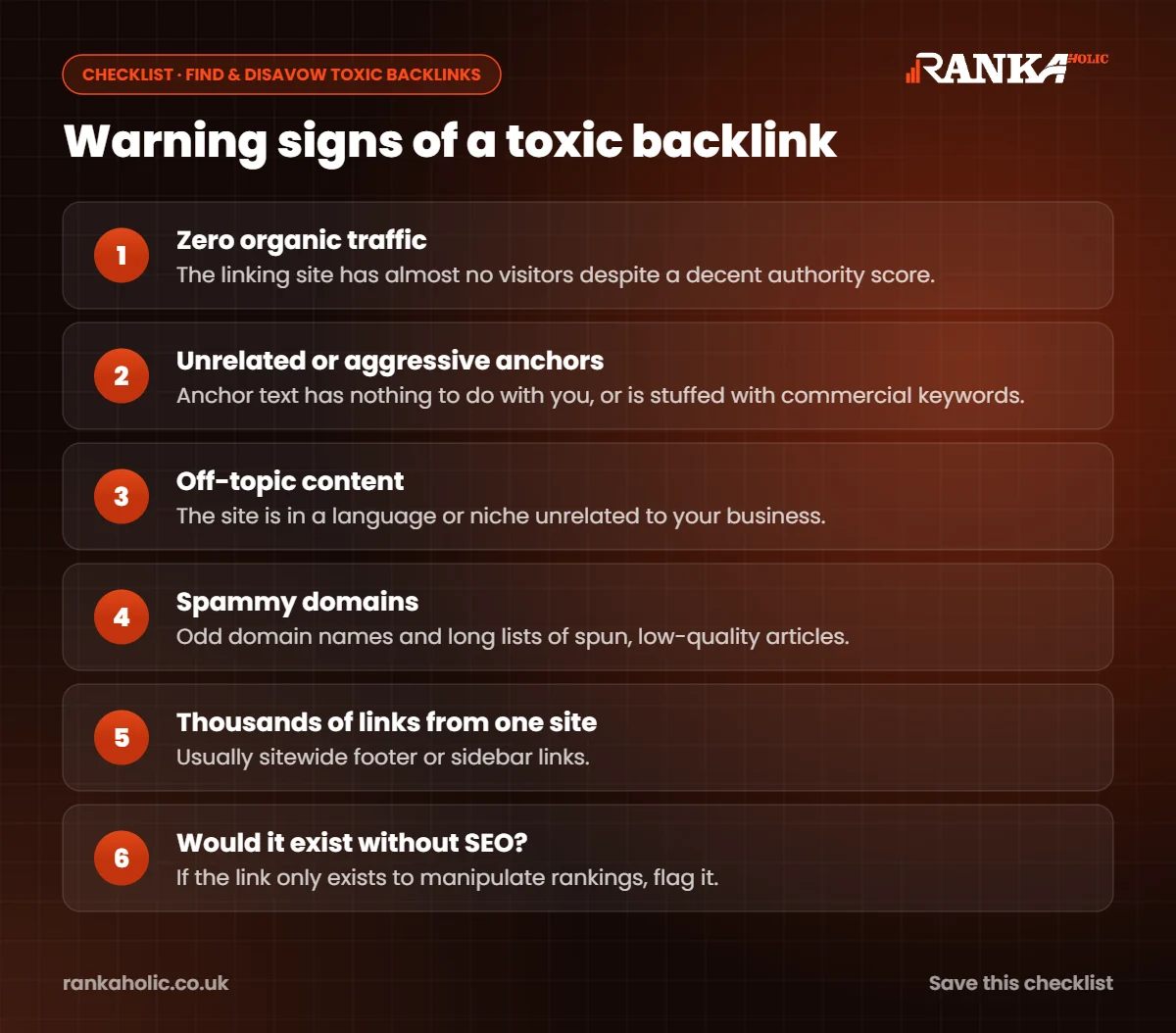
Flag domains that match several of these at once:
- Zero or near-zero organic traffic despite a decent authority score.
- Anchor text unrelated to your business, or aggressive exact-match commercial anchors.
- Site content in a language or niche that has nothing to do with you.
- Domains with names like
best-seo-links-4u.xyz, or long lists of spun articles. - Thousands of links from one domain, typically sitewide links.
4. Review each flagged domain by hand
Open the linking page. Ask one question: would this link exist if search engines did not? A local news article mentioning your business is fine even if the site has low metrics. A page of 200 random outbound links is not.
Should you try to remove links before disavowing?
If you have a manual action, yes. Google wants to see a genuine effort to clean up. Email the site owners of the worst offenders, ask them to remove the link, and keep a record of every request and reply in a spreadsheet. Many will not answer, which is fine. Anything you cannot remove goes in the disavow file.
If there is no manual action and the links are simply spam you never asked for, removal outreach is usually a poor use of time. Disavow the clear offenders, or do nothing.
How do you create a disavow file?
The disavow file is a plain text file (.txt, UTF-8 encoded) with one entry per line. Lines starting with # are comments.
# Paid links from previous agency, removal requested 1 Nov 2026
domain:cheap-links-network.com
domain:spammy-directory.net
# Single page on an otherwise fine site
https://example.org/hacked-page.html
Rules to follow:
- Use
domain:for whole sites. Spam domains usually link from many URLs, and listing single URLs misses new ones. - Only list individual URLs when the rest of the site is legitimate.
- Keep the file under 2MB and 100,000 lines.
- When you update the file, upload the complete list. A new upload replaces the old one.
How do you upload the disavow file to Google?
- Open Google’s Disavow links tool while signed in to Search Console.
- Choose the correct property. Domain properties and URL-prefix properties are treated separately, so pick the one your links point to.
- Upload the .txt file and confirm.
Google processes the file as it recrawls the linking pages, so changes can take several weeks. Bing has its own disavow tool in Bing Webmaster Tools if you also care about Bing rankings.
What mistakes should you avoid when disavowing?
- Trusting toxicity scores blindly. Tools guess. We regularly see good local and niche links marked as toxic.
- Disavowing your best links by accident. Check that big, relevant referring domains are not in the file before uploading.
- Uploading a partial file. A new upload replaces the old file, so missing entries are effectively “un-disavowed”.
- Treating disavow as a growth tactic. Removing bad links rarely boosts rankings on its own. Earning good links does.
What should you do after disavowing?
If you had a manual action, submit a reconsideration request explaining what happened, what you removed, what you disavowed and how you will avoid it in future. Be specific and honest.
Then replace what you lost. Disavowing paid links removes whatever value they were passing, so rankings can dip before they recover. The fix is to build genuinely earned links: guest posts on relevant sites with real readers, resource page placements and digital PR. That is the work we do through our manual link building services, and it is also how we help clients recover after a cleanup.
Finally, keep monitoring. Review new referring domains in Search Console every month or two, and add clear offenders to your disavow file as part of routine maintenance.
How Rankaholic handles backlink audits and disavow work
We audit your full link profile from Search Console and Ahrefs, review every flagged domain by hand, and give you a clear list of what to keep, remove and disavow, with reasons. We build and upload the disavow file, handle removal outreach where it is needed and support reconsideration requests. If you are unsure whether you even need a disavow, ask us for a quick review first. Often the honest answer is that you do not. You can also check the metrics of any linking site with our free DA PA checker.
Frequently Asked Questions
Does Google still use the disavow file?
Yes. Google still offers the Disavow links tool, but recommends using it only if you have a manual action or a significant number of spammy, artificial links you are confident are causing problems.
Can toxic backlinks hurt my rankings?
Most spammy links are simply ignored by Google. They can hurt when they form a clear pattern of manipulation, such as paid links or PBNs you built, especially if they lead to a manual action for unnatural links.
How long does a disavow take to work?
It takes effect as Google recrawls the linking pages, which usually means several weeks and sometimes a few months for large files.
Should I disavow links with a high spam score?
Not on the score alone. Review each domain by hand. Disavow only links that are clearly manipulative, irrelevant spam or links you know were bought.
Can I undo a disavow?
Yes. Upload a new disavow file without those entries. Google will start counting the links again as it recrawls them, which can take a few weeks.

